14 languages
Iris understands and replies in your language. Set it once in Settings.
- English
- Español
- Français
- Deutsch
- Italiano
- Português
- Русский
- العربية
- हिन्दी
- اردو
- 中文
- 日本語
- Türkçe
New Introducing IrisVision Ultra
Ultra weighs just 230 g, runs up to 10 hours on a charge, and keeps every control on the glasses. Iris, our AI platform, comes built in.
The next generation of our most popular glasses, Inspire.
The glasses
Ultra is for near, intermediate, and distance. Auto-focus holds the view, and magnification goes up to 10×. Iris adjusts it when you ask.
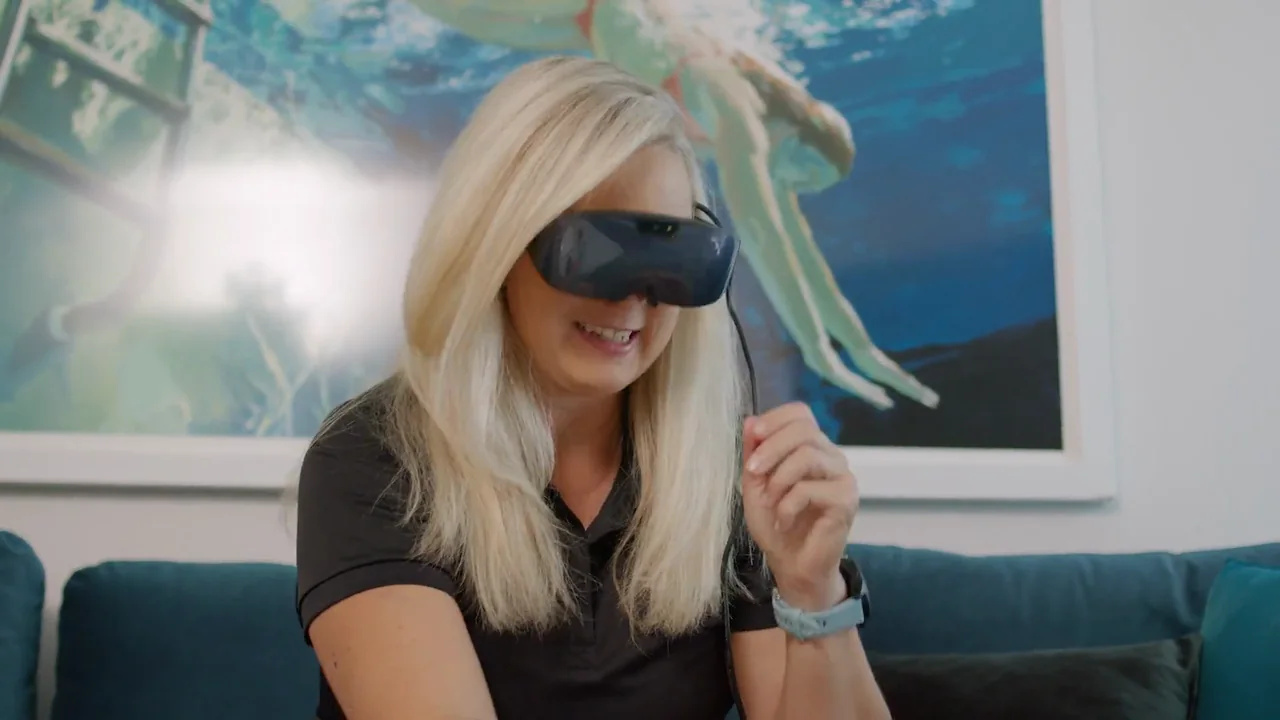
Tactile buttons
Ultra has tactile buttons right on the glasses. Navigate, zoom in and out, and change the view by touch, with nothing extra to hold or lose.

Move through modes and menus with the buttons on the glasses.
Press to zoom in or out, up to 10×, without reaching for anything.
Tactile buttons you can find by touch, without needing to see them.
Use the buttons or ask Iris. Both change the same view.
Included with every pair
Iris is the AI platform built into all of our glasses. Ask it to read to you, zoom in, change the view, or put on a video, in your own language. Every pair of IrisVision glasses comes with Iris.
Iris understands and replies in your language. Set it once in Settings.
Look at a page, a label, or a letter, and Iris reads it to you.
Zoom, contrast, brightness, and reading modes, changed with a sentence.
Put on YouTube, catch the news, or follow a cooking lesson.
Watch a film, listen to a book, or play a game. Ask Iris, then play, pause, and skip.
Say what you want in plain words. There is nothing to memorize.
See the world your way
Ultra adapts to what you’re doing. Ask Iris to switch modes and the view changes instantly — camera modes for seeing the room, plus Movies, Books, Games, and Photo Gallery for time in the glasses.
Your startup screen. A stable, high-contrast image helps you dial in focus and IPD (eye spacing) for the sharpest possible view before you begin.
The everyday live view. See your real surroundings in natural, vivid color with automatic focus, and zoom in up to 10× on whatever you’re looking at.
A magnifying bubble in the center of the Scene view — sharpen a price tag, a face, or a sign while keeping the rest of the scene around it.
A rectangular telescope window. Magnify a distant sign or a face while the rest of the room stays in view — size and place the box so it sits where you need it.
Ultra-high-contrast text. Start with crisp black-on-white, or switch to inverted, yellow, or green — and use Reading Line to focus on one magnified line at a time.
For tunnel vision. Shrink the whole picture until everything you need fits inside your remaining field of view.
Tuned for screens. Special exposure settings cut backlight glare, and the display won’t time out in the middle of your show.
For getting around. Ultra traces bold, high-contrast outlines around objects and edges, with adjustable line thickness and sensitivity.
Free full-length films inside Ultra. Ask Iris to search, then play, pause, and scrub with the buttons on the glasses.
Free audio books, hands-free. Search by title, then play, pause, and skip by voice or the buttons.
Games built for the low vision community. Play from the glasses — no tiny phone screen.
Every picture you take, ready when you are. Zoom in on the details that matter to you.
Watch and listen
Low vision shouldn’t mean missing the film, the chapter, or the clip. Ultra brings entertainment into the glasses — search by voice, then sit back.
Ask Iris to find and play videos — recipes, news, music, how-tos, or your favorite channel — and watch them full-size inside the glasses.
Search and watch free full-length films in Ultra. The same simple controls as YouTube: ask Iris, play, pause, and scrub with the buttons on the glasses.
Listen to free audio books hands-free. Search by title, then play, pause, and skip with your voice or the buttons.
Bring your television, computer, or a streaming stick into Ultra with the Vision Cast transmitter — enlarged and clear from your chair.
* Requires the Vision Cast accessory, sold separately.
Designed for low vision
These titles were built for IrisVision, not squeezed in from a phone. Huge high-contrast art, simple stick controls, and Iris talking you through every turn. Open Games on the glasses and pick one.

You versus Iris. Roll to build your turn, or hold to bank it. A one busts the turn. First to one hundred wins.

Ten questions with three choices. Stick up or press Action to pick, stick down for the next. Five misses and the round is over.

A number is on the card. Guess whether the next one is higher or lower. Thirty seconds — stick up for higher, stick down for lower.
Look back
Just say “Iris, take a picture.” Then, in Photo Gallery, zoom in on the details that matter to you.
Iris, take a picture.




Coaching included
Every IrisVision wearable device comes with a suite of helpful accessories, plus custom support from our community of Coaches, offering remote, personalized training in the comfort and security of your home.
Every pair includes one coaching session.
Meet one on one from the comfort of your home. A sighted helper is highly recommended.
They know the device and tailor the session to your individual needs.
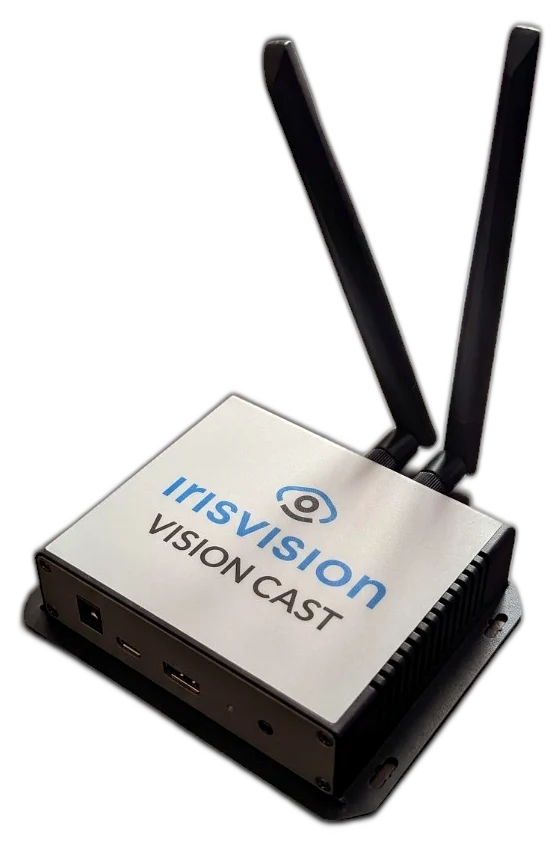
Accessories
Vision Cast streams content from your TV, computer, or a streaming device straight into your glasses — connect it once, then sit back and watch, enlarged and clear.
Who it helps
IrisVision provides assistive wearable devices that integrate cutting-edge technology with custom software developed by top low vision experts — for individuals with:
Not sure yet? A few questions show whether IrisVision is likely to help.
Reading, faces, and the center of what you see.
Patchy detail and vision that can change from day to day.
Central vision, often from a younger age.
Side vision and seeing in low light.
Glare, light sensitivity, and fine detail.
Contrast, clarity, and dimming vision.
Reduced vision and washed-out detail.
…and other ocular disorders.
Adjust this site to your comfort. Your choices are saved on this device.