
Low Vision Magnifiers?
Low vision magnifiers are optical devices that help you see a clear and magnified view of your surroundings. Magnifiers reinstate your ability to see objects at a far-off distance, which is otherwise impossible for visually impaired people to do.
Magnifiers help make it easy and strain-free for you to perform your daily tasks, by simply holding the device in the desired direction, you get to see a sharp and zoomed-in image of a person or object around you.
Main Types of Low Vision Magnifiers
There are a number of low vision magnifiers with varying magnification power and features to help you see better. However, most magnifiers are task-specific, with power ranging from 2x to 10x. Each low vision magnifier is designed to assist with a particular activity and their product specifications are better suited for certain eye conditions, which means that you would have to use multiple low vision magnifiers for each of your visual problems.
Among various types of low vision magnifiers, some are ideal for on-the-go reading and writing, others for screen reading, and for book reading or office/ school work.
Let’s look at the different types of low vision magnifiers:
- Handheld Magnifier
Handheld magnifiers are portable and compact, and are best suited for simple tasks such as a quick inspection of an object. As they are small in size, you can easily carry them around in your pocket. Their magnification capabilities are useful for a range of brief activities such as, reading a price tag at the grocery store, or skimming through emails.
- Portable Digital Magnifier
Portable digital magnifiers let you capture images in a digital form and magnify whichever part of the image you want to see. These usually come with built-in lights so that it can be used during both day and night, with high-definition screens. You could use this for a magnified view of a textbook page that you want to read.
- Electronic Video Magnifiers or CCTV
Although CCTV magnifiers are expensive, they are useful when you want to keep a general picture in reference while you magnify the object of interest on a screen or a monitor. For instance, as it is compatible with computer screens, it can be efficiently used for classroom activities or office work.
- Magnifying Reading Glasses
Reading glasses are typically best for interactive or performing tasks in which you want to keep your hands free, as well as your surroundings in view. For example, while going through your recipe book or a newspaper, the glasses let you see the whole page instead of a couple of lines, so that you can look ahead and process information quickly.
Is there a smart low vision aid with all-in-one magnification features for different tasks?
Yes, there is!
IrisVision Vista is an all-in-one low-vision solution.
As unbelievable as it sounds, Vista is a wearable, hands-free low-vision headset — engineered by neuroscientists and controlled entirely by voice or a simple remote.
IrisVision Vista lets you switch between simple and more complex tasks, according to the need of the hour.
Let’s see how the features of Vista can end your search for multiple magnification devices.
1: Used for Reading Books
Visual impairment greatly restricts your ability to read, but as most information around us is in the form of written content, such as price tags and medical prescriptions, so your low vision magnifier must have easy and convenient reading features.
If you have macular degeneration or glaucoma, the following reading modes in IrisVision Vista let you read without anyone’s assistance:
- Reading Line Mode
You can focus on reading a single line with reading line mode. For instance, while trying to decipher the contents of a box of cereal, the difficulty of reading words that are written one below the other is solved.
- Colored Reading Mode
With IrisVision’s colored reading mode, you can read text with high contrast. It is especially helpful if you have cataracts or diabetic retinopathy, in which case you can finally ease the pain of reading with low contrast sensitivity.
- Bubble View
Bubble View lets you read without losing the greater context of your book page — a movable magnified bubble enlarges the section you’re focused on while the rest of the page stays in view around it.
- Iris (voice-first read-aloud)
Let Vista read the newspaper aloud for you! Iris is a voice-first OCR feature not available in any of the traditional magnifiers — just ask, and it reads the whole page back to you. For times when you would rather listen than read, Iris does the work hands-free.
2: Used as a Portable Magnifier
The IrisVision Vista headset is a bit more sturdy than your average eyesight glasses, but the sturdiness comes packed with numerous features as well. Nonetheless, this wearable headset is portable and easy to carry around everywhere you go.
While going out at a restaurant, for a stroll in the park, or your workplace, you can keep wearing an IrisVision Vista headset and work independently.
3: Used as an Electronic Video Magnifier
Instead of owning a separate magnifier for workplace and school activities, you can now access features within the IrisVision Vista headset.
-
Scene Mode
Scene mode gives you a wide, bird’s eye view of everything in front of you. Pair it with Bubble View to move a magnifier over any point of interest and enlarge it for clear vision while keeping the rest of the scene in context. For instance, while reading the whiteboard in your classroom, you can enlarge your points of interest while keeping the rest of the board in context.
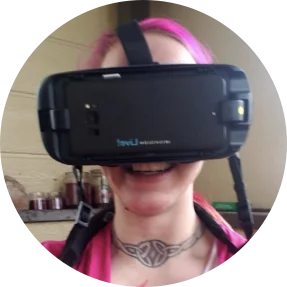
“When I put the IrisVision on I started freaking out, I could actually see!”
-Sevena, Congenital Cataracts
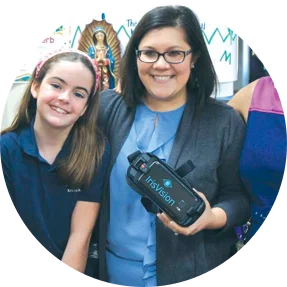
“I was blocking my students’ view and moving all around the whiteboard to read it. Now I can stand in the back of the room and still see the board.****”
-Ashley, Stargardt Macular Degeneration
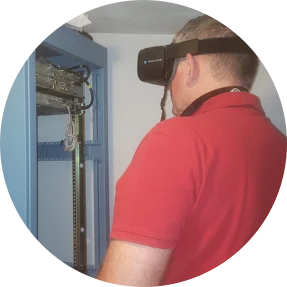
“Just a few days ago I replaced three electrical outlets without any problems. IrisVision is what’s keeping me employed!****”
-Ed, Retinitis Pigmentosa